How do I see how much work you’ve done on my site each month? #
Your Care Plan includes an allocated amount of time each month for me to perform updates and checks on all of the site plugins, theme and the WordPress core system
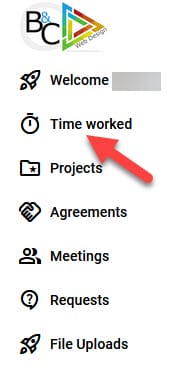
I track all work through a timer in Moxie (my Customer Relationship Management application) and these details are visible either via the “Time Worked” menu item or the “Time Tracker” icon in your Client Portal.
How do you know whether updates are required for my site or, if there is a vulnerability? #
I have a number of different tools that monitor your website continuously, checking for vulnerabilities, site downtime and other issues. These tools send notifications based on various criteria, such as when a vulnerability is discovered in either a plugin or theme that is installed on your site. The tools also monitor your WordPress core version and advise when updates are necessary. These tools are connected to various databases of organisations who constantly monitor and check the WordPress ecosystem, actively trying to find holes or exploits in the software that makes WordPress “tick”.
Additionally, I do a daily visual Homepage check to ensure your site appears to be operating normally.
How much time does it actually take you to update my site each month? #
This is like asking “how long is a piece of string”!
Every month is different in the world of WordPress, but there are always guaranteed to be a number of bugs or vulnerabilities discovered in software that is part of your website. It really does depend on exactly which plugins are installed and, which ones have had updates.


